

Switching from Windows to Linux
Four weeks ago I started working on a new project for a client.
The first task was to load up a Vagrant box to run their platform locally on my machine.
So I cloned the Git repo and ran ‘vagrant up’.
Immediately I was presented with errors… Tons of nasty, confusing errors.
It turns out that the Vagrant box was using the Ansible provisioner, which isn’t well supported on Windows.
I look for a solution, none of them are ideal.
I can either run the Ansible provisioner in a separate VM (in which case I practically need to re-write the Vagrant setup) or I can spend hours hacking away inside the ugly Windows Command Prompt window to do some black magic hackery and get Ansible working with Cygwin…
And I thought Vagrant was meant to make coding easier!
I ask around to see if anyone else has had the same issue. It turns out not a single member of the team is using Windows.
They all use either Linux or Mac OS (mostly Linux).
That’s when I decided it was time for me to make the switch away from Windows and give Linux a try.
Trial Week
I have tried to go full-out Linux a few times before but always ended up coming back to Windows. Usually because of driver issues or lack of support for applications I rely on.
So I decided to do a trial week to test the waters and give myself time to adjust.
The first weekend, I installed Ubuntu as a dual boot and gave it a 50GB partition on my disk. I kept my existing Windows install in-case anything went wrong and I need to switch back.
The process of installing took about an hour.
The only issue I had was that during installation the “continue” button was greyed out. Apparently the solution is to click back and next again.
Not a great start, but I decided to continue with the trial nonetheless.
Four weeks later I am still using Ubuntu and loving it…
Positives
Switching operating systems can be an onerous task. The obvious downsides are having to disrupt your everyday routine and workflow and force yourself out of your comfort-zone, which is never easy. I know – I attempted this change at least twice before. But with a little extra effort I found there were loads of positives to switching, which makes the disruption well worth it. Here are some of them:
Terminal Aesthetics
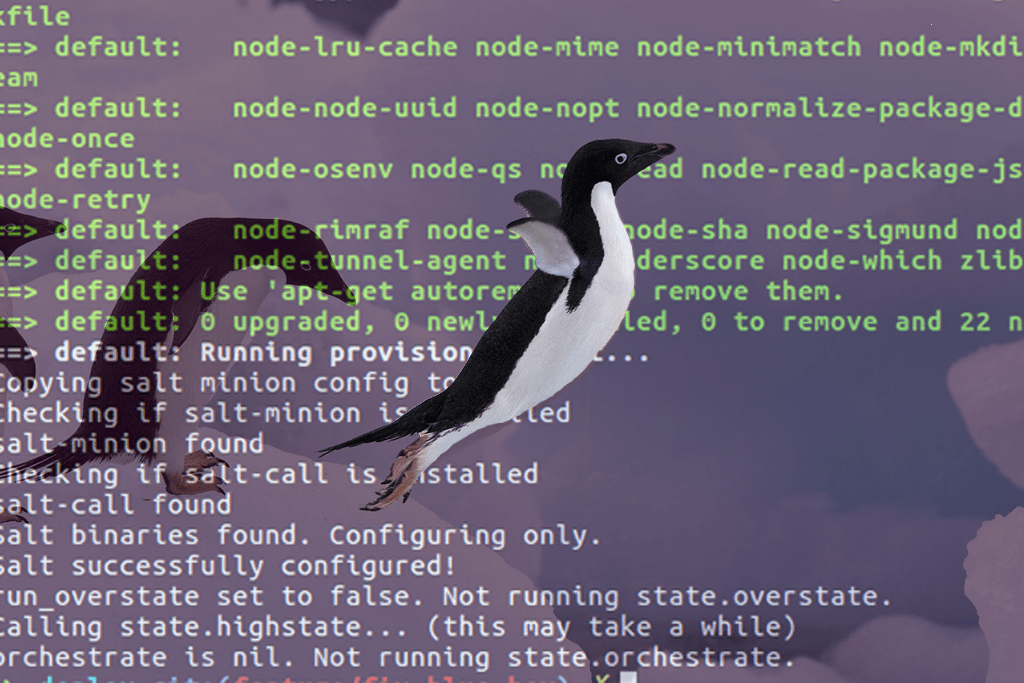
Out of the box, the terminal on Ubuntu looks so much better than Windows command prompt.
It’s not a big deal to some, but if I’m going to be staring at a screen for a large part of my life, I want it to be the best experience possible. I want it to be clear to read and pleasing to the eye.
Here is a comparison of the two:

Vagrant Compatibility
All of the Vagrant issues I had before have completely dissolved.
The Vagrant-Ansible issue that I mentioned above is now solved by simply running sudo ‘apt-get install ansible’.
A huge difference compared to the hoops I would have to jump through to get it working on Windows…
In addition to this, I can now use NFS for Vagrant synced folders, which is really useful for maintaining file permissions and using symlinks.
SSH Integration
SSH is native to Linux.
When using Windows I had to use SSH from Git Bash, Cygwin or ConEmu (to be honest I have no idea which one was actually being used when I ran SSH on windows).
This created so many problems with various applications and command line tools.
Since switching to Ubuntu, I have not had a single SSH Problem.
Everything communicates seamlessly.
I know exactly where to put my ssh config file and my RSA keys.
Also, Ubuntu caches my password protected keys so I don’t need to type the password every time I connect.
Better NPM Support
While it is possible to use them on Windows, Node.js and NPM are better supported on Linux based machines.
Especially when using NPM to install dependencies into Vagrant synced folders.
NPM relies heavily on symbolic links. Since Windows support for symbolic links is not the same as on Linux based file systems, you can run into no-end of issues when running NPM install within a Vagrant directory that syncs with a Windows file-system.
Side Launcher
At first I didn’t like the Ubuntu side launcher, but it grew on me.
Since screens are typically wider than they are taller, I think it’s more efficient to allocate a vertical space on the side as opposed to a horizontal space on the bottom.
Better support for Python Linters
I found that Python linters for Atom worked a lot better in Linux.
In fact, I didn’t ever manage to get them working 100% on Windows. (Although I’m sure it’s possible if you try really hard).
Some other positives include:
- Better support for multiple desktops (easier to move windows around with keyboard shortcuts etc…)
- No more line ending issues.
- A very friendly and helpful community who are more than happy to help with any questions you have.
- Although a donation is appreciated, Ubuntu is free.
Negatives
As with anything, there are downsides as well as upsides. Here are some of the issues I’ve had since switching to Ubuntu:
Evernote
I love Evernote.
As an Evernote Premium customer I use it daily for taking notes, scanning paper docs and even writing this blog post.
Along with many others, I am very disappointed with the lack of a native Linux version of their fantastic product.
However, since most Linux users like using things for free, they probably don’t have many paying customers using Linux, so who can blame them…
The plus side is that they have a web version which works pretty well (although it does miss some of the great features of their Windows/Mac Desktop apps).
Photoshop
As someone who recently purchased an Adobe Photoshop subscription I am a bit peeved that it doesn’t work on Linux.
This is probably the only reason I will keep Windows installed alongside Linux.
Google Drive
As an avid Google Drive user I was also disappointed that there is no native Google Drive sync client for Linux!
I found this this really surprising, considering how Google use Linux on almost all of their servers…
However, then I discovered having Google Drive sync all my files didn’t actually add much value. Now I just use the Google Drive web interface to upload and download the files I need.
Some other negatives include:
- Keepass is not supported as well (it works, but some plugins don’t).
- Issues with screen scaling (you need to change the settings in three places to get it working).
- Ubuntu Software marketplace is unreliable (when I install things sometimes they just don’t install properly).
- No good screenshot solution that automatically uploads (like Greenshot).
The Verdict
After the first week I went ahead and re-installed my laptop, this time allocating 128GB to Windows and 384GB to Ubuntu.
I now use Ubuntu as my day to do operating system (I haven’t used the Windows partition for weeks).
If you build .NET applications then definitely use Windows.
I am a full-stack developer focusing mostly on open source. So most of the software I write will run either on a browser or on a Linux server. Because of this, it makes a lot of sense for me to use Linux.
Like everything that takes effort but offers a great payoff, I wish I had made the change sooner!
Tell me what OS you use and it’s positives and negatives in the comments below.
Cheers
Mark


Windows and Kali Linux
Well considering I understood less than .005% of what you just said…guess I have no reason to switch to Linux. Although anyone i have spoken with who uses it, would never go back to Windows.
Welcome back from the darkside..let me know how the cookies taste!
I really agree with this post, I use windows perhaps because i am still a student and rely heavily on some windows application. i have laravel framework installed on my system which uses ubuntu vm and two other linux os running on my vm ware on my windows system . inevitably, i will migrate to linux and be done with windows for good soon. Alot has to change in windows os i believe. it gets frustrating at times
I would be interested setting up an SSD Drive on a Raspberry Pi 3 and running Ubuntu on that. Could you advise further on that ?
Many thanks
Sean Parry